
The difference between an Arduino with one zener diode as a hotbits (TRNG in radionics) source and a webcam, is like a CPU and a GPU. A webcam has an image sensor with millions of little diodes instead of just one inside a Arduino analog sensor, or like just one inside a RaspberryPi.
The process of taking a photo with a CCD Sensor is achieved by a photon penetrating the silicon layer, which release electrons when they pass.
In the video “capacitive coupling” is mentioned, which is responsible for the “noise” in the image … and this is exactly what we are looking for, the big source for fresh hotbits, true randomness.
(Technically there are different reasons for the noise, some comes from the reading, others from the “shot” itself, and some are pure quantum phenomena.)
How to capture hotbits from a WebCam?
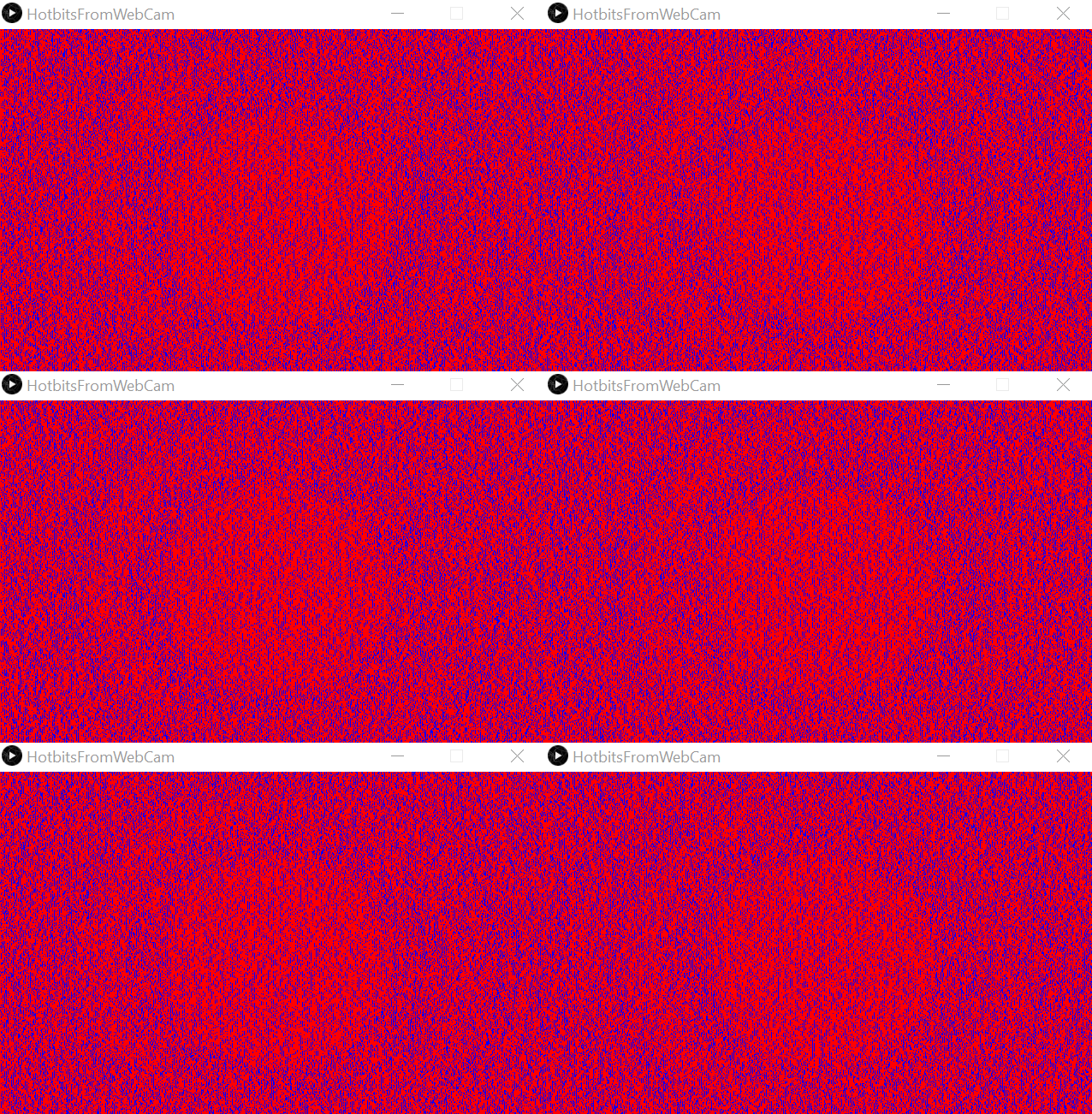
When you call capture.loadPixels(); in Processing you get a array of pixels. My first approach was to read the first pixel in the array at position [0] and compare it to the next pixel of the array at [1] and so on. If the pixel value (a multiplication of the three colors red, green and blue) was bigger, I painted a black pixel and if smaller I painted a white pixel.
With a cover over the camera, which allows to receive only the “thermal noise”, I recorder a few seconds, but the result clearly shows an undesired pattern.
import processing.video.*;

Capture capture;
int lastPixelColor = 0;

void setup() {
  size(640, 400);
  String[] cameras = Capture.list();
  printArray(cameras);
  capture = new Capture(this, cameras[8]);
  capture.start();
}

void captureEvent(Capture capture) {
  capture.read();
}

void draw() {
  capture.loadPixels();
  image(capture, 0, 0);

  loadPixels();

  for (int i = 0; i < width*height; i++) {

    color white = color(255, 0, 0);
    color black = color(0, 0, 255);
    int currentColor = pixels[i];

    if (currentColor > lastPixelColor) {
      pixels[i] = black;
    } else {
      pixels[i] = white;
    }

    lastPixelColor = currentColor;
  }

  updatePixels();
}
Clearly the pattern exist only from one pixel to another. But does it also exist from the same pixel to the next read cycle?

The result is much better, a lot of noise, no patterns, but there are empty images inbetween. I should be able to get rid of them. (Actually, the empty images may be due double images from the driver, displayed when the CCD sensor was not ready for a new image).
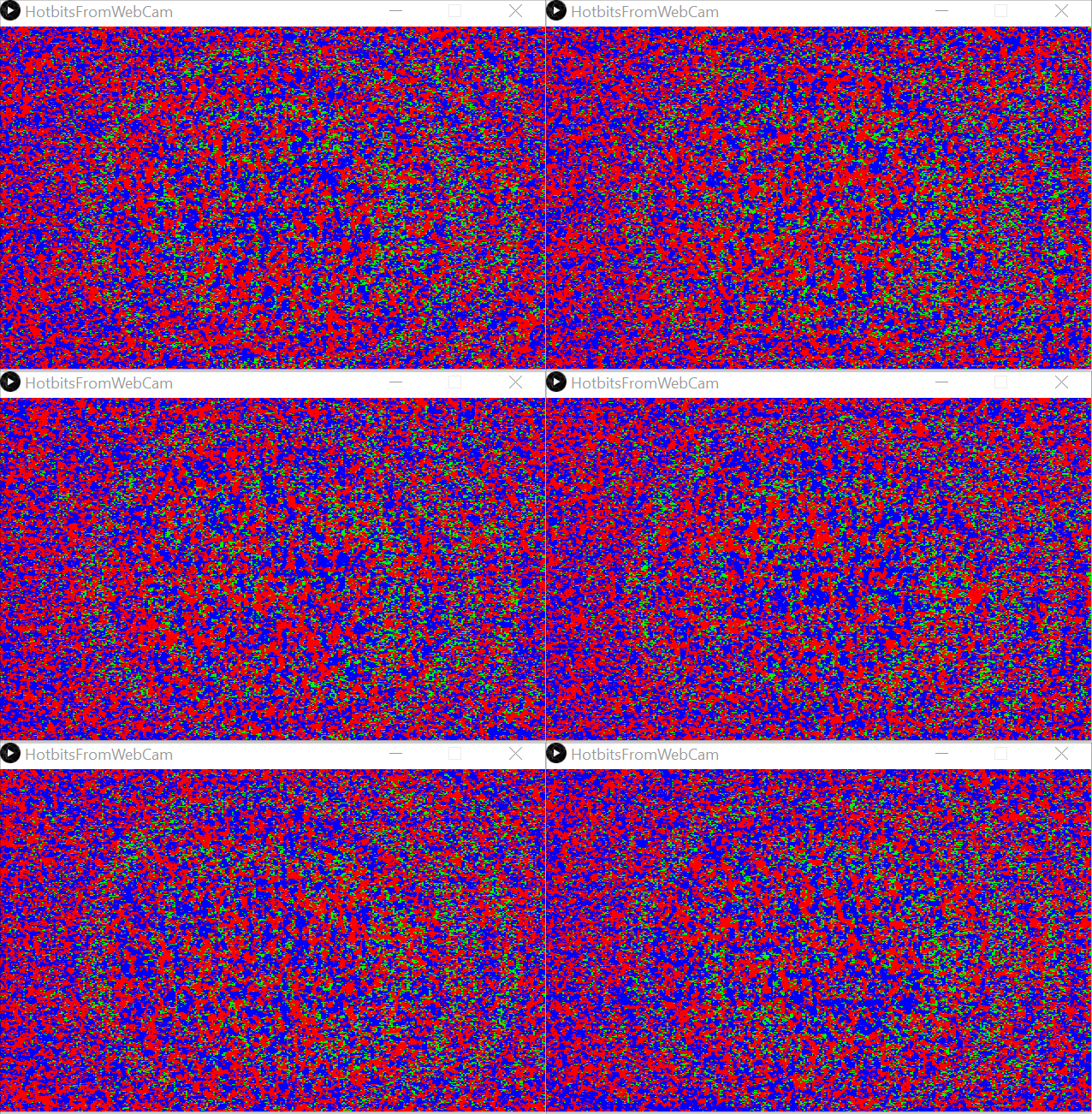
Red and blue are useful noise, but the green is just a repeating pattern and therefore order. The red and blue pixels can be harnessed for the hotbits.
import processing.video.*;

Capture capture;
final int screen_width = 640;
final int screen_height = 400;
final int pixelArraySize = screen_width * screen_height;
Integer lastPixelArray [] = new Integer[pixelArraySize];

void setup() {
  size(640, 400);
  String[] cameras = Capture.list();
  printArray(cameras);
  capture = new Capture(this, cameras[8]);
  capture.start();
}

void captureEvent(Capture capture) {
  capture.read();
}

void draw() {

  boolean doubleImage = true;

  while (doubleImage) {

    capture.loadPixels();
    image(capture, 0, 0);
    loadPixels();

    int orderedPixels = 0;

    for (int i = 0; i < pixelArraySize; i++) {

      int currentColor = pixels[i];

      if (lastPixelArray[i] == null) {
        lastPixelArray[i] = currentColor;
      }

      color red = color(255, 0, 0);
      color green = color(0, 255, 0);
      color blue = color(0, 0, 255);
      int lastPixelColor = lastPixelArray[i];

      if (currentColor > lastPixelColor) {
        pixels[i] = blue;
      } else if (currentColor < lastPixelColor) {
        pixels[i] = red;
      } else {
        pixels[i] = green;
        orderedPixels++;
      }

      lastPixelArray[i] = currentColor;
    }

    if (orderedPixels < pixelArraySize / 3) {
      updatePixels();
      doubleImage = false;
    }
  }
}
Finally the single bits needs to be assembled to full integers and saved as JSON files for the AetherOnePi.
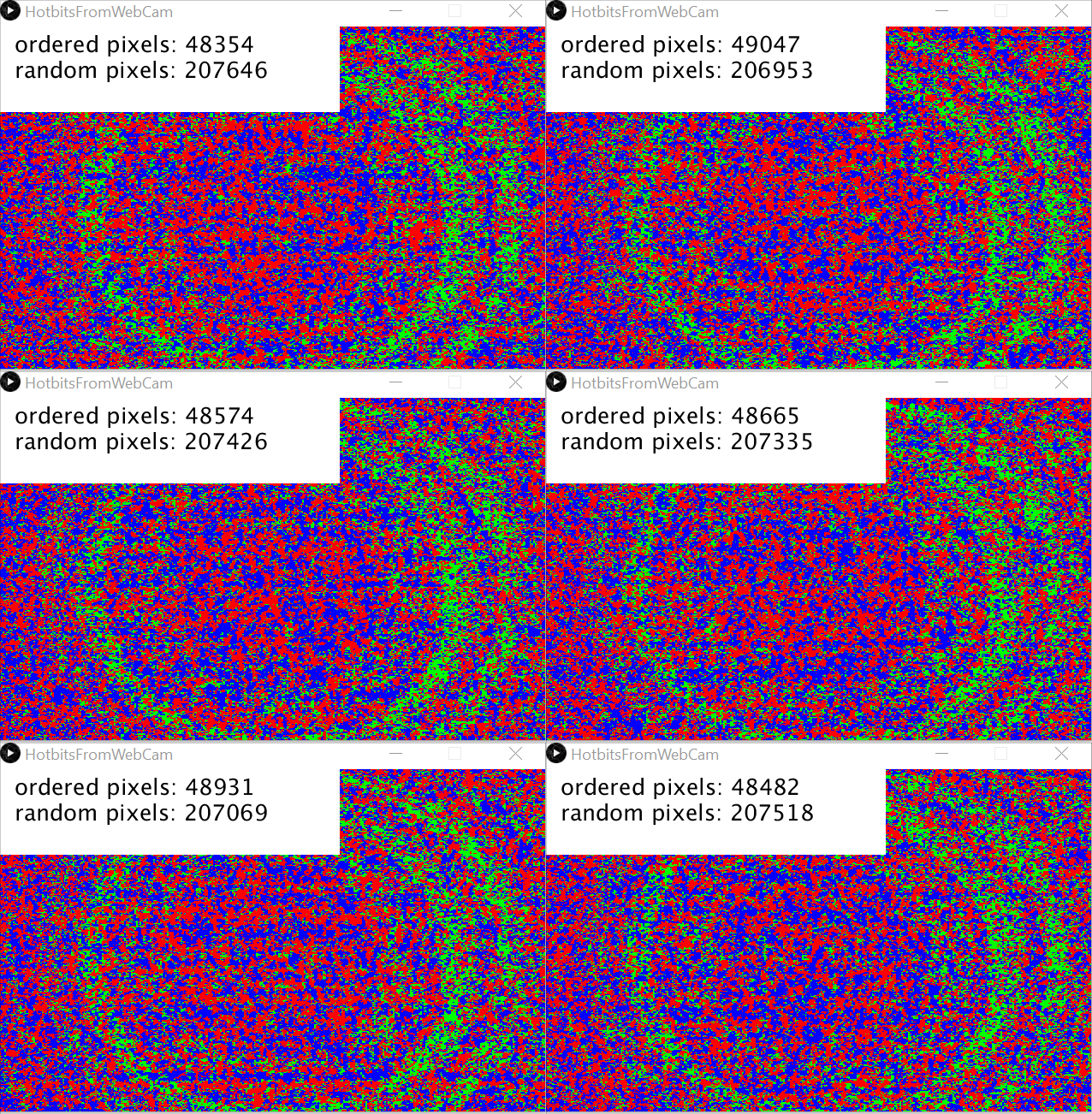
By the way, the hotter the WebCam, than more hotbits you get …
(just place your hot cup of tea near the WebCam)
import processing.video.*;

final int HOW_MANY_FILES = 1000;
final int HOW_MANY_INTEGERS_PER_PACKAGES = 10000;

Capture capture;
final int screen_width = 640;
final int screen_height = 400;
final int pixelArraySize = screen_width * screen_height;
Integer lastPixelArray [] = new Integer[pixelArraySize];
String bits = "";
Integer countIntegers = 0;
Integer countPackages = 0;


void setup() {
  size(640, 400);
  String[] cameras = Capture.list();
  printArray(cameras);
  capture = new Capture(this, cameras[8]);
  capture.start();
  textSize(26);
}

void captureEvent(Capture capture) {
  capture.read();
}

void draw() {

  boolean doubleImage = true;
  int orderedPixels = 0;

  while (doubleImage) {

    capture.loadPixels();
    image(capture, 0, 0);
    loadPixels();

    orderedPixels = 0;

    for (int i = 0; i < pixelArraySize; i++) {

      int currentColor = pixels[i];

      if (lastPixelArray[i] == null) {
        lastPixelArray[i] = currentColor;
      }

      color red = color(255, 0, 0);
      color green = color(0, 255, 0);
      color blue = color(0, 0, 255);
      int lastPixelColor = lastPixelArray[i];

      if (currentColor > lastPixelColor) {
        pixels[i] = blue;
      } else if (currentColor < lastPixelColor) {
        pixels[i] = red;
      } else {
        pixels[i] = green;
        orderedPixels++;
      }

      lastPixelArray[i] = currentColor;
    }

    if (orderedPixels < pixelArraySize / 3) {
      updatePixels();
      doubleImage = false;
    }
  }

  // Harness the hotbits
  for (int i = 0; i < pixelArraySize; i++) {
    int currentColor = pixels[i];
    int lastPixelColor = lastPixelArray[i];

    if (currentColor > lastPixelColor) {
      bits += "1";
    } else if (currentColor < lastPixelColor) {
      bits += "0";
    }

    if (bits.length() >= 19) {
      Integer randomInt = Integer.parseInt(bits, 2);
      println(randomInt);
      bits = "";
      countIntegers ++;

      if (countIntegers >= HOW_MANY_INTEGERS_PER_PACKAGES) {
        countPackages++;
        countIntegers = 0;
      }
    }
  }

  fill(255);
  noStroke();
  rect(0, 0, 400, 100);
  fill(0);
  text("ordered pixels: " + orderedPixels, 20, 30);
  text("random pixels: " + (pixelArraySize - orderedPixels), 20, 60);
  text("countPackages: " + countPackages, 20, 90);
}
I regard this as a proof of concept, good enough to implement it into the AetherOnePi project. It is super fast and you don’t need additional hardware. Indeed it is faster than a Arduino or RaspberryPi.
… to be continued …
See also:
– Webcam random number generator
– https://radionics.home.blog/2020/05/21/hotbits-from-webcam-for-the-aetheronepi/
 Radionics
One thought on “The WebCam as a source for TRNG (True Random Number Generator)”